A Merchant's Guide to Product Recommendations Shopify Strategy
Dec 24, 2025
|
Published
When you think about increasing your store’s order value, what’s the first thing that comes to mind? For a long time, the go-to answer was simple: discounts. But constantly slashing prices is a race to the bottom that can seriously hurt your margins and devalue your brand. It's a short-term tactic that rarely builds long-term customer loyalty.
Product recommendations offer a much smarter, more sustainable path to boosting Average Order Value (AOV). Instead of just showing random products, a good recommendation engine uses data to showcase items a shopper is genuinely likely to buy. It's less of a sales pitch and more of a personalized shopping assistant, creating an experience that feels helpful, not pushy, and encourages customers to spend more because they see the value.
Why Smart Recommendations Beat Discounts Every Time
Let's be real: a 20% off coupon can definitely give you a quick sales bump. The problem is, it trains your customers to wait for the next promotion. You end up attracting one-off bargain hunters instead of building a loyal customer base with a high lifetime value (LTV).
Smart product recommendations flip this script entirely. You’re not cutting into your profits; you're adding value to the customer's cart and their overall experience. A well-placed "you might also like" or "frequently bought together" suggestion feels like genuine advice. It shows you understand their needs, which is a powerful way to build trust, boost AOV, and ultimately, increase customer lifetime value.
The Downside of a Discount-Heavy Strategy
When your brand is always "on sale," it subtly tells customers your regular prices aren't worth paying. You get stuck in a cycle of discounting just to keep orders coming in, and your profit margins take a major hit. The goal isn't to get people to buy because something is cheap; it's to get them excited to spend more by rewarding them with value.
This is where strategic rewards and incentives shine. Think beyond the simple percentage-off coupon and focus on offers that enhance the shopping experience and encourage a higher cart value.
Free Shipping Tiers: A simple progress bar that says, "You're only $15 away from free shipping!" is incredibly effective. It turns the checkout process into a mini-game.
Tiered Free Gifts: Offering a desirable gift when a customer's cart hits a certain value feels like a bonus, not a discount. You can learn more about how to set up a compelling free gift with purchase strategy to drive bigger orders.
Unlockable Discounts: Instead of a site-wide sale, offer a discount as a reward. For example, "Spend $100 and get 15% off your entire order." This incentivizes a larger purchase to earn the deal.
The key is to frame the offer as a reward a customer can unlock. This simple shift in psychology makes shopping more engaging and fun. It's a core principle behind powerful in-cart upsell tools like Monster Cart, which are built around adding value and boosting AOV without just cutting prices.
Here's a quick comparison of the two approaches:
Recommendation Strategies for Boosting AOV vs. Using Discounts
Strategy | Impact on AOV | Impact on Brand Perception | Customer Lifetime Value (LTV) |
|---|---|---|---|
Product Recommendations | Increases AOV by suggesting relevant, full-price items and bundles. | Enhances brand perception by providing a helpful, personalized experience. | Increases LTV by building trust and encouraging repeat purchases based on value. |
Rewards & Free Gifts | Increases AOV by motivating customers to meet a spend threshold to unlock a reward. | Strengthens brand perception by creating a positive, rewarding shopping experience. | Boosts LTV by fostering loyalty through value-added incentives. |
Frequent Discounts | May temporarily increase AOV but often at the cost of lower profit margins. | Can devalue the brand and trains customers to wait for sales. | Decreases LTV by attracting price-sensitive shoppers with low brand loyalty. |
The proof is in the numbers. During massive sales events like Black Friday Cyber Monday (BFCM), personalization is what separates the top performers from the rest. Over 55,000 Shopify merchants had their best sales days ever, with average cart values climbing to $108.12—often driven by smart upsell and cross-sell recommendations. This isn't a fluke; it's a clear sign that personalizing the shopping journey is the key to unlocking serious revenue.
Where to Place Recommendations Across Your Customer Journey
If you’re still using a generic ‘related products’ widget and calling it a day, you're leaving a lot of money on the table. The real goal of a product recommendations Shopify strategy is to weave suggestions so naturally into the shopping experience that they feel like helpful advice, not a hard sell.
This means placing the right kind of recommendation at the right moment—from the very first click on your homepage all the way to the cart.
When you get this right, you do more than just sell extra products. You guide shoppers to discover items they’ll genuinely love. This builds trust, increases lifetime value, and turns a one-time buyer into a loyal fan—a far more profitable approach than constantly offering discounts.
This visual captures the shift perfectly—moving away from margin-killing discounts toward a growth engine fueled by smart recommendations and rewards.
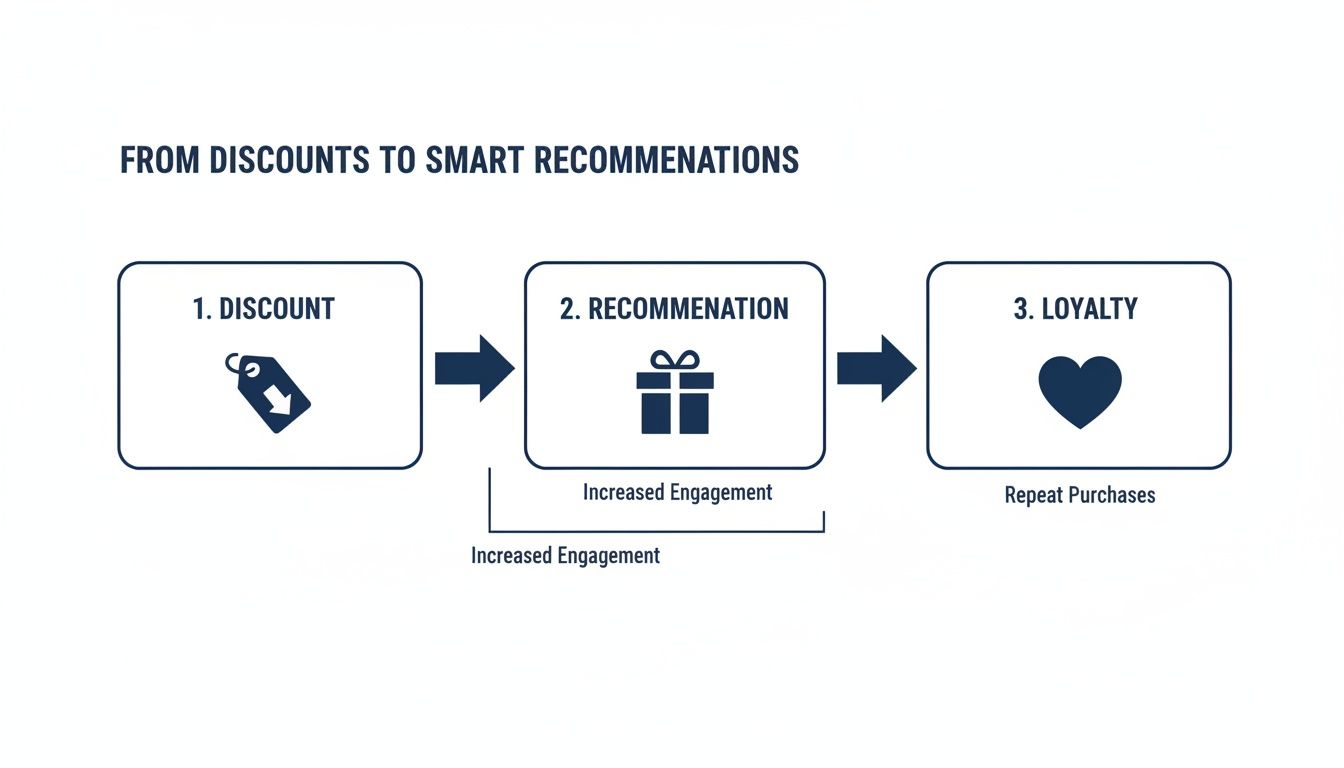
This journey from discounts to loyalty doesn't just make a single sale; it nurtures a long-term customer relationship that pays dividends.
Hook Them on the Homepage
Think of your homepage as your digital storefront. You've got seconds to make an impression. Instead of static banners, this is the perfect spot for dynamic, data-driven carousels that catch a visitor's eye.
Here are a few proven strategies for the homepage:
"Trending Now" or "Bestsellers": This is pure social proof. You're showing new visitors what everyone else is buying and loving, which makes their first purchase feel like a safe bet.
"New Arrivals": For your returning customers, this is often the first thing they look for. Keeping your new inventory front-and-center makes your store feel fresh and gives them a reason to keep coming back.
"Curated for You": This is your chance to inject your brand's personality. Guide shoppers toward high-margin items or hidden gems. It feels less like an algorithm and more like a personal recommendation from an expert—you.
Go Deeper on Product Pages
Once a shopper is on a Product Detail Page (PDP), they're no longer just browsing; they're seriously considering a purchase. This is where your recommendations need to be laser-focused and highly contextual.
For example, if you sell skincare, a product page for a foundation should absolutely show a "Complete Your Routine" section with the matching concealer and setting powder. A furniture store can do the same by showing decorative pillows that perfectly complement the sofa a customer is viewing.
The best PDP recommendations solve a problem for the customer. A "Frequently Bought Together" bundle isn't just an upsell; it's a valuable shortcut that saves the shopper time and ensures they get everything they need in one go.
Maximize AOV in the Cart
The shopping cart is your last, best chance to increase the average order value (AOV). Purchase intent is at its absolute peak here. A generic recommendation will fall flat, but a targeted, gamified offer can work wonders.
This is where an in-cart upsell engine like Monster Cart really shines. It swaps out the standard Shopify cart with an interactive experience designed to encourage more spending through rewards. You can use progress bars that show shoppers exactly how close they are to unlocking a great perk.
A simple message like, "You're just $12 away from a free gift!" paired with a few relevant, low-cost add-ons is incredibly effective. It turns the checkout process from a transaction into a fun challenge. You're not just giving a discount; you're rewarding them for spending more, which boosts your AOV, protects your profit margins, and fosters long-term loyalty.
Turn Dead Ends into Opportunities
Don't overlook the less obvious touchpoints. A "404 Not Found" page doesn't have to be a dead end. Instead of an error message, show a carousel of your top-selling products to guide lost visitors back into a shopping flow.
The post-purchase "thank you" page is another goldmine. The customer is already happy with their purchase, making it the perfect time to recommend related items to plant the seed for their next visit.
Choosing Your Product Recommendation Engine
The tech you choose to power your product recommendations on Shopify can honestly make or break your entire strategy. Picking the right app is so much more than just adding a widget; it's about selecting an engine that can intelligently guide your customers, push your average order value higher, and scale right alongside your brand.
At its heart, a recommendation engine is just analyzing data to predict what a shopper might want to buy next. But the algorithms doing that work can be anything from dead simple to incredibly complex.
Collaborative Filtering: This is the classic "customers who bought this also bought..." model you see everywhere. It works by sifting through the behavior of massive groups of shoppers to find patterns. The underlying assumption is simple: if you and another person have similar tastes in a few things, you'll probably like some of the same other things, too.
Content-Based Filtering: This one is all about the products themselves. It recommends items that share similar attributes—think brand, color, category, or style—to whatever a customer is looking at right now. It’s a great way to create a "more like this" experience that keeps shoppers engaged with your catalog.
While both of those methods are solid, modern ecommerce really calls for something a bit more sophisticated. That's where AI and machine learning step in, delivering hyper-personalized suggestions by analyzing a customer's real-time behavior, their purchase history, and even their browsing patterns on your site.
The Power of a Hybrid Approach
From my experience, the most powerful strategies are the ones that blend AI-driven automation with your own manual curation. Think of the AI as your tireless data analyst, working 24/7 to uncover hidden trends and serve up personalized suggestions at a scale you could never manage alone.
At the same time, you, the merchant, provide the crucial brand insight and strategic direction.
For example, you could let the AI run the show on a general "Trending Now" carousel, but then set up specific manual rules for a new product launch. This guarantees your latest collection gets the spotlight it deserves, temporarily overriding the algorithm's historical data. This hybrid model truly gives you the best of both worlds: scalable personalization and strategic control.
Personalization is the secret sauce for success on Shopify. In fact, 78% of brands now see their own first-party data as the gold standard for creating effective product recommendations. This isn't some futuristic concept—it's what's powering scalable growth for stores right now. Projections even show that AI-driven recommendations could boost ecommerce sales by a staggering 59%, with the market for this tech expected to hit $15.13 billion by 2026. You can dig deeper into the rise of ecommerce personalization on Shopify.com.
This intense focus on data and personalization is absolutely critical for boosting customer lifetime value. You're moving beyond one-off discounts and building a smarter shopping experience that keeps people coming back.
Key Questions to Ask When Choosing a Shopify App
When you're looking at different product recommendation apps, it’s easy to get lost in a sea of features. To cut through the noise, you need to focus on what will actually move the needle for your store’s growth and your customers' experience.
The right engine shouldn't just show more products; it should create opportunities to reward customers for spending more. The goal is to elevate the shopping experience in a way that feels valuable and exciting, not just transactional.
Here’s a practical checklist to help guide your decision:
Does it focus on AOV-boosting rewards? Don't just settle for simple cross-sells. Look for tools that let you create gamified rewards like free gifts, unlockable discounts, and free shipping thresholds. This turns recommendations into an engaging challenge that protects profit margins and builds lifetime value. Engines like Monster Cart are built specifically for this kind of value-driven, in-cart experience.
How deep is the customization? Your recommendation widgets need to feel like a native part of your theme, not some clunky, tacked-on element. Can you easily tweak the fonts, colors, and layouts to match your brand's unique aesthetic without having to touch a single line of code?
What is the performance impact? A slow-loading app is a conversion killer, plain and simple. Always check recent reviews and ask the developer directly how their app is optimized for speed. The best solutions use techniques like asynchronous loading to make sure they don’t drag down your site's Core Web Vitals.
How well does it integrate with other tools? Your tech stack needs to play nice together. To get a better sense of how different apps can connect, it’s worth checking out some examples of popular Shopify app integrations that work in harmony to create a unified customer journey.
Designing Recommendations That Convert, Not Annoy
The best product recommendations feel less like a sales pitch and more like a helpful suggestion from a friend. That’s the line we need to walk. It's all about the user experience (UX). Get it right, and a simple recommendation widget becomes your best salesperson. Get it wrong, and it’s just noise that customers learn to ignore.
It really boils down to making a great first impression with quality visuals. Think about it: 75% of online shoppers count on product photos to decide what to buy. If your recommendation carousels are full of blurry, mismatched images, you’re creating doubt at a critical moment. You want excitement, not friction.
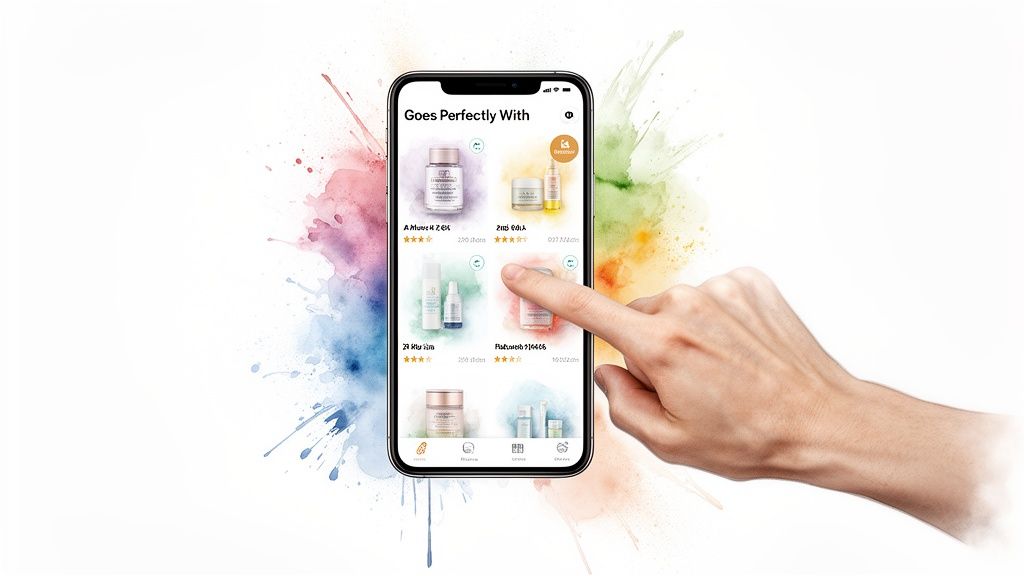
This focus on clarity needs to carry over into your copy, too. Every single suggestion should feel deliberate and genuinely useful, nudging customers to add more to their cart because it makes sense for them, not because you're pushing a sale.
Crafting Compelling and Trustworthy Copy
Let’s be honest, headings like "You May Also Like" are completely played out. They sound robotic and do nothing to convince a hesitant shopper. The goal is to use language that provides context and makes the recommendation feel curated just for them.
Here are a few simple swaps I've seen work wonders:
Instead of "Related Products," try "Goes Perfectly With This."
Instead of "Customers Also Bought," use "Complete Your Routine."
Instead of "More from this Collection," try "Our Top Picks For You."
See the difference? These small changes reframe the suggestion as expert advice. You're no longer just a store; you're a trusted guide helping them get the most out of their purchase.
Social proof is another incredibly effective tool for building that trust. Don't just show the product; show why others love it. Adding star ratings, review counts, or even a simple "Bestseller" badge right in the widget gives an immediate shot of credibility. Seeing that hundreds of others have bought and loved an item makes it a much safer bet for a new customer.
Designing for a Mobile-First World
Everyone is shopping on their phones, and scrolling fatigue is a real problem. Your recommendation widgets absolutely must be clean, intuitive, and designed for thumbs. That means no cluttered layouts that make users pinch and zoom just to see what you're offering.
The swipeable carousel is king here. It’s the standard for a reason. It keeps your page looking sharp while letting curious shoppers browse your suggestions without breaking their stride. The interaction feels modern and puts them in control.
Here are a few more specific UX tips that can make a huge difference in how your recommendations perform.
| High-Impact UX Tips for Recommendation Widgets |
| :--- | :--- | :--- |
| UX Element | Best Practice Example | Why It Works | | Clear CTA | Use "Add to Cart" or "Quick Add" instead of a generic "View." | Reduces friction by allowing a one-click add, capitalizing on impulse. | | Show Price | Always display the price clearly, including any sale price. | Transparency builds trust. Hiding the price creates an unnecessary click and potential frustration. | | Consistent Styling | Ensure the widget's fonts, colors, and button styles match your theme. | A seamless look makes recommendations feel like a native, trustworthy part of your store, not a third-party ad. | | Load Speed | Use optimized images and lazy loading for recommendation carousels. | Slow-loading widgets can be missed entirely or drag down your whole page speed, hurting conversions and SEO. | | Visual Badges | Add "New Arrival," "Bestseller," or "Low Stock" badges. | Creates urgency and highlights social proof, guiding the customer's eye to high-value items. |
By implementing these small but mighty tweaks, you ensure your recommendations aren't just seen—they're acted on.
The real goal here is to make your offers feel like a natural part of the shopping journey. When you nail the copy, visuals, and mobile experience, customers want to discover what else you have. That’s how you boost your average order value without constantly running sales.
This is especially true for in-cart recommendations, where screen real estate is tight and the customer is seconds from checking out. A tool like Monster Cart shines in this scenario. It embeds these clean, swipeable carousels directly into the slide-out cart, letting you present highly relevant upsells and rewards in a way that feels helpful, not intrusive. You end up driving more revenue by making customers feel valued, not just sold to.
Unlocking AOV with In-Cart Upsells and Gamified Rewards
While you should be placing recommendations all over your site, there's one moment that's more powerful than any other: when a customer has an item in their cart. At this point, their intent to buy is at an absolute peak. They are literally one click away from the checkout.
This is the perfect time to introduce a different kind of recommendation—one that’s less about discovery and more about immediate, tangible value. The goal is to make it irresistible for shoppers to add just one more thing to their order, boosting your Average Order Value (AOV) without having to slash your prices.
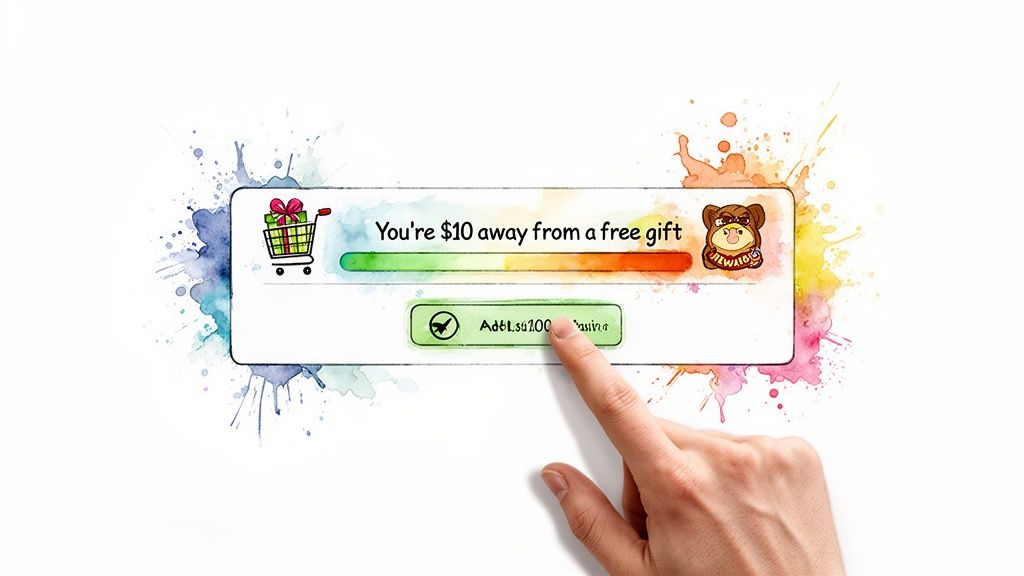
This is where your product recommendations Shopify strategy can truly pay off, transforming passive suggestions into active AOV drivers that also build long-term customer loyalty.
The Power of Gamified Rewards
Forget the generic "You might also like" carousel in the cart. The best in-cart experiences now are built around gamification. What does that mean? It means turning the act of spending more into a fun challenge with a clear prize at the end.
It's a subtle but powerful psychological shift. Suddenly, customers feel like they're earning something special, not just being sold to.
Imagine a simple progress bar in the cart that visually shows a customer how close they are to a goal. It's a surprisingly effective motivator.
"You're $10 away from a free gift!" This message, paired with a few relevant, low-cost product ideas, is incredibly hard to ignore.
"Add one more item to unlock free shipping." We all know free shipping is still one of the biggest draws for online shoppers.
"Spend $100 to get a 15% discount." Offering a discount as a reward for a higher spend protects your margins much better than a site-wide sale.
This whole approach is fantastic for protecting your profit margins. You’re rewarding customers for buying more full-priced items, creating a classic win-win that improves their experience and goes straight to your bottom line.
Why In-Cart Upsells Work So Well
The numbers don't lie. While Shopify reports a baseline conversion rate of 1.4%, the top 10% of stores on the platform are hitting 4.7%. A big part of that difference comes from using targeted offers and well-designed cart experiences.
In fact, in-cart offers, often shown in a slide-out or a non-annoying pop-up, can see an 8.11% click-through rate. These compelling, last-minute incentives are a huge reason why top stores chip away at that painful 69% average cart abandonment rate.
This is exactly where an upsell engine like Monster Cart shines. It’s built to create this rewarding, gamified experience by replacing the standard cart with an interactive slide-out. You can present these offers seamlessly without ever getting in the way of the checkout process.
The secret is making the upsell feel like a natural, helpful suggestion. When a customer adds shampoo to their cart, immediately suggesting the matching conditioner isn't pushy—it's just good customer service.
How to Structure Your In-Cart Offers
A great in-cart strategy is all about offering relevant items that are an easy "yes."
Here’s how to set up your in-cart recommendations for success:
Offer Low-Cost, High-Value Add-Ons: Think about things like travel-sized versions of your bestsellers, key accessories, or even shipping protection. These are easy impulse buys that don't require much consideration but can significantly increase the total order value.
Use "Frequently Bought Together" Bundles: Give customers a one-click option to add a perfectly complementary product. This removes friction and makes them feel like they're getting a smart, curated deal.
Implement Tiered Rewards: Why stop at one reward? Create multiple levels to encourage more spending. For example, offer a free sample at $50, a deluxe gift at $100, and free express shipping at $150. This motivates shoppers to keep adding to their cart to unlock that next tier.
By focusing on these value-driven techniques, you change the customer's internal monologue from "How much am I spending?" to "What cool rewards can I unlock?" It’s this shift that builds a higher AOV and, ultimately, a better customer lifetime value.
Of course, boosting your AOV is just one piece of the puzzle. It fits into broader e-commerce growth strategies that are all about building sustainable profit. Optimizing what happens inside the cart is a deep topic, and if you want to dive deeper, check out our complete guide on effective shopping cart optimization. Mastering this final step before checkout is where small tweaks can deliver the biggest wins.
Measuring Success and Refining Your Strategy
Here’s a hard truth: a product recommendation strategy is never "set and forget." If you really want your efforts to boost your bottom line, you have to look past vanity metrics like page views and focus on the numbers that actually move the needle. This data is your roadmap.
Your whole goal is to figure out exactly how your recommendations are changing shopper behavior. Are people clicking on them? Great. But more importantly, are those clicks turning into bigger carts and completed sales? Answering that is how you start fine-tuning your offers and building a business that thrives on adding value, not just slashing prices.
Key Metrics That Actually Matter
I get it, diving into analytics can feel like a lot. The good news is you only need to keep an eye on a few core metrics to see what’s really going on. Most recommendation apps, like Monster Cart, give you a dashboard for this, but you can also pull some great insights straight from Shopify Analytics.
Focus on these four areas:
Conversion Rate from Recommendations: This is the big one. It's the percentage of people who see a recommendation, add it to their cart, and actually buy it. A high conversion rate here is a crystal-clear sign that your suggestions are hitting the mark.
Click-Through Rate (CTR) on Widgets: This tells you if your recommendation widgets are even getting noticed. If your CTR is low, it could be a red flag for poor placement, a boring design, or just irrelevant product suggestions.
Average Order Value (AOV) Uplift: This is where the money is. You need to compare the AOV of customers who interact with your recommendations against those who don't. The difference is the direct financial impact of your upselling and cross-selling.
Impact on Customer Lifetime Value (LTV): This one’s a long-term play. A solid recommendation engine helps customers discover more products they love. That leads to repeat purchases and brand loyalty, which is how you see LTV climb over time.
A Simple Framework for A/B Testing
Once you have a handle on your baseline numbers, it’s time to start experimenting. A/B testing is how you stop guessing and start knowing what actually works for your audience.
The most impactful tests often come down to the rewards you offer. It’s not a question of if you should offer rewards, but which ones truly motivate your customers to spend more. A tiny tweak to an offer can cause a massive jump in AOV.
A great place to start is by testing different reward thresholds. For instance, you could run a test comparing a "Free Gift at $100" offer against a "Free Shipping at $75" offer, or even an unlockable discount like "10% Off Orders Over $120." Let it run for a couple of weeks, see which one drove a higher AOV uplift, and then build on what you learned.
This kind of data-first approach takes the guesswork out of the equation and keeps your strategy sharp. For a broader look at improving your store’s performance, digging into resources on Shopify conversion rate optimization for scaling brands can give you a more complete picture of how all these pieces fit together.
Frequently Asked Questions
Will Adding a Product Recommendation App Slow Down My Shopify Store?
That's a smart question to ask, and a very common concern. The short answer is: a well-built app shouldn't.
Top-tier recommendation apps are engineered with performance in mind. They typically use asynchronous loading, which means the recommendation widget loads separately from the rest of your page content. Your customer sees the important stuff first—product images, descriptions, the "add to cart" button—and the recommendations load in a split second later without bogging down the initial experience.
When you're vetting apps, dive into recent reviews and specifically look for comments on site speed. If you see multiple merchants complaining about lag, that's a red flag. An app like Monster Cart is built to be incredibly lightweight, so it doesn't get in the way of a fast, smooth shopping experience.
How Many Product Recommendations Should I Show at Once?
There's no single magic number, but the guiding principle is always clarity over clutter. You want to help, not overwhelm.
On a product page, I've found that one or two distinct recommendation carousels work best. For example, a "Frequently Bought Together" bundle right under the add-to-cart button and a "You Might Also Like" section further down the page is a solid combination.
In the cart, you have to be even more surgical. Stick to one to three highly relevant upsells. The customer is just a step away from paying, so your goal is to present a compelling, no-brainer add-on, not to make them second-guess their entire purchase.
I always tell clients to think about customer lifetime value. Sometimes, a single, perfectly-timed offer for a free gift or unlockable discount can build more loyalty and drive more long-term revenue than bombarding a customer with a dozen generic suggestions.
Can I Use Product Recommendations with a Small Catalog?
Absolutely! In fact, it can be a huge advantage. When you have fewer products, you have the opportunity to be incredibly deliberate.
Instead of relying on algorithms that need tons of data, you can lean into manual curation. Think in terms of creating a guided experience.
Use a "Complete the Look" widget on an apparel page.
Create a "Perfect Pairing" section for complementary products.
Bundle your entire collection into a "Get the Full Set" offer.
This approach makes a small catalog feel more intentional and boutique, showing customers exactly how your products work together. It’s a great way to boost your average order value and enhance the customer experience without just throwing discounts at people.
Ready to turn your Shopify cart into a powerful AOV-boosting engine? Monster Cart helps you create a gamified, on-brand cart experience with targeted upsells and unlockable rewards. See how Monster Cart can increase your revenue today.
Join 7000+ brands using our apps