Shopify Test Orders A Guide to Boosting Your Store's AOV
Mar 3, 2026
|
Published
Placing a Shopify test order is just what it sounds like: you’re simulating a real customer purchase on your own store. It’s the single most important quality check you can run to make sure your checkout process, apps, and payment settings are all working perfectly before real money is on the line. It's the step that prevents those gut-wrenching "lost sale" notifications from technical glitches.
Why Flawless Testing Unlocks Higher AOV
Let’s be honest, a glitchy cart experience is a direct path to lost sales. We often think of Shopify test orders as a simple technical check—a box to tick off a pre-launch list. But if that's all you're doing, you're missing the bigger picture. Meticulous testing is actually a core strategic advantage that lets you confidently launch powerful, revenue-boosting features.
It's your secret weapon for de-risking the very offers that increase Average Order Value (AOV) and customer lifetime value. It allows you to move beyond profit-killing discounts and instead focus on rewarding customers with engaging incentives that make them want to spend more, building loyalty for the long term.
Connect Testing to Smarter Growth
Smart growth means boosting your revenue without constantly slashing your prices. This is where thorough testing becomes your most valuable ally. Before you roll out an exciting new offer, you need to be 100% certain it works flawlessly. Imagine launching a "Free Gift at $100" campaign, only for the gift not to appear in the cart. The result? Frustrated customers and abandoned checkouts.
Thorough testing ensures that when you implement strategies like these, they function without a single hitch:
Tiered Rewards: Does your "Spend $75, get a free product; Spend $125, get a deluxe gift" logic trigger at the exact right moment?
Free Shipping Thresholds: Does the free shipping option correctly appear once the customer's cart total hits your target, encouraging them to add one more item?
In-Cart Upsells & Free Gifts: Are your one-click product add-ons and unlockable free gifts displaying properly without slowing down the cart experience?
The data proves it. A real-world A/B test on Shopify showed that after a month of testing, stores achieved a +45.74% lift in conversion rate and a +25.71% increase in profit per visitor. Test orders aren't optional; they mimic real buyer behavior to catch issues early. You can explore the full findings from this Shopify pricing test on Craftberry.
Ultimately, the goal of deep testing is to ensure you can confidently and effectively improve ecommerce conversion rate and boost your sales, which has a direct and immediate impact on your AOV.
Top-tier AOV strategies, like the interactive rewards offered by Monster Cart, depend entirely on this glitch-free execution. By properly testing your cart's reward-based promotions, you can create a seamless journey that encourages customers to spend more, building both order value and long-term loyalty. If you want to dive deeper into this metric, check out our guide on how to calculate Average Order Value.
Choosing the Right Shopify Test Order Method
So you've built a killer new offer designed to boost your AOV. But how do you really know it’s working before you push it live? You test it. And then you test it again.
Picking the right way to run Shopify test orders is crucial. Each method is built for a different job, and choosing the wrong one can mean you miss a critical bug in your checkout or get totally skewed data on your new upsell campaign. While there are many best ecommerce platforms for small business, Shopify gives you a few powerful, built-in tools to make sure everything runs smoothly.
This isn’t just about making sure the "buy" button works. It's about methodically rooting out glitches so you can confidently launch strategies that actually grow your revenue and customer lifetime value.
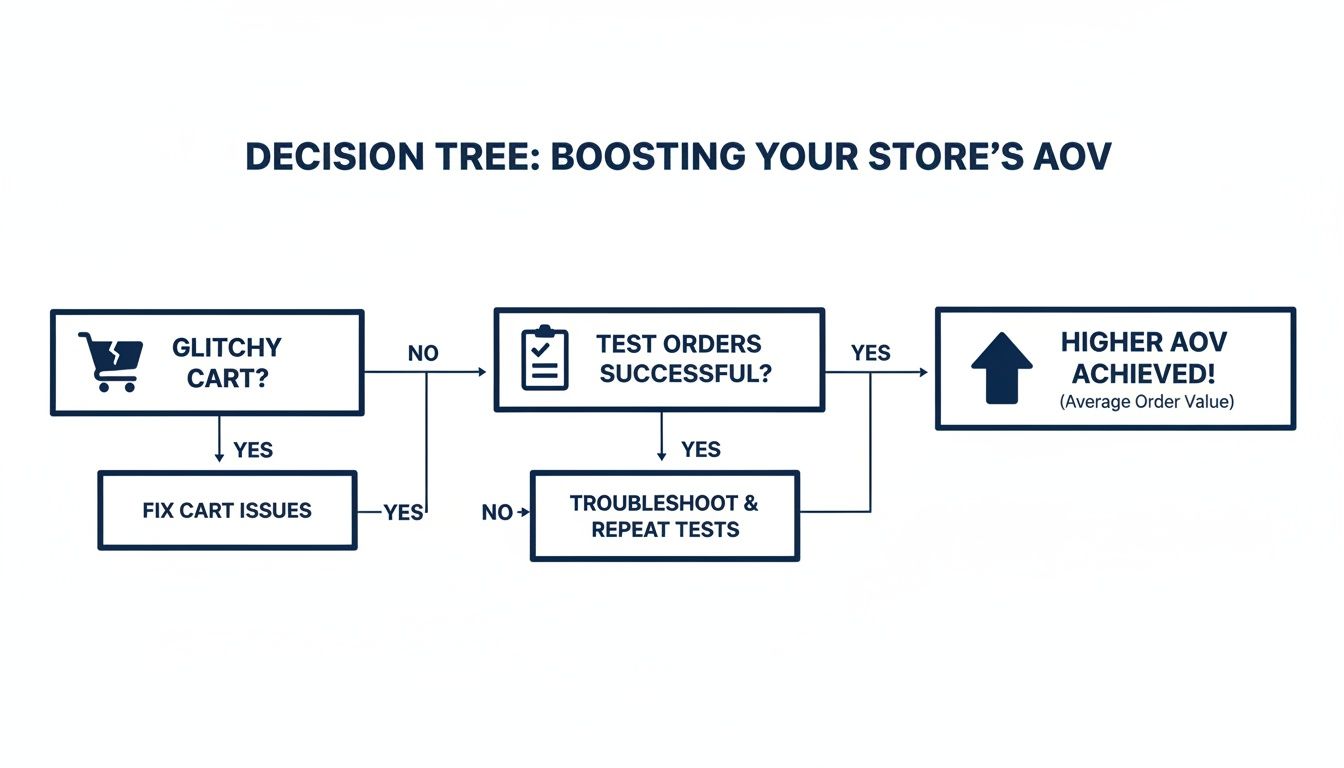
As you can see, testing is the bridge that takes you from a buggy cart to a bigger average order value.
To help you decide which tool is right for the job, let's break down the main options.
Shopify Test Order Methods Compared
Each testing method has its own strengths. The Bogus Gateway is your go-to for quick checks, while Shopify Payments Test Mode offers a much more realistic run-through. Then there's the 100% discount method, which is perfect for complex cart-based rewards.
Method | Best For | Realism Level | Key Consideration |
|---|---|---|---|
Bogus Gateway | Quick functional checks of app integrations or basic discounts. | Low | Simulates a successful payment only. Doesn't mimic declines or real gateway behavior. |
Shopify Payments Test Mode | End-to-end checkout validation, from shipping to taxes. | Medium-High | Requires using special test card numbers but closely mirrors a real transaction flow. |
100% Discount Code | Testing complex, cart-based rewards like free gifts and advanced app logic. | High | Creates a real order in your analytics that you'll need to cancel. |
Picking the right method depends entirely on what you're trying to validate. A quick app check has very different needs than a full-scale test of your AOV-driving reward engine.
Bogus Gateway vs Shopify Payments Test Mode
Think of Shopify's Bogus Gateway as your quick-and-dirty functional check. It’s perfect for when you just need to rapidly confirm that a new app is firing correctly or that a simple discount code applies as it should. It fakes a successful payment without needing any real card details. Fast and simple.
Shopify Payments Test Mode, on the other hand, is for when you need a much higher level of confidence. It mimics the entire transaction lifecycle, letting you use special test card numbers to simulate both successful payments and declines. This is your go-to method for a full, end-to-end checkout test before launching a major campaign or store update. It ensures everything from shipping calculations to tax rules behaves exactly as a real customer would experience it.
Pro Tip: Use Bogus Gateway for fast, low-fidelity checks on app behavior. Switch to Shopify Payments Test Mode for high-fidelity, comprehensive checkout validation.
When to Use a 100% Discount Code
There's a third, incredibly useful option: creating a 100% discount code and running a live order that totals $0.00. This method is invaluable for stress-testing complex, cart-based rewards that simulated payments might not trigger correctly.
This approach is especially powerful when you're validating advanced AOV strategies. For example, if you're using an app like Monster Cart to offer tiered rewards—like a free gift that unlocks at $100—you need to confirm that logic works perfectly in a live environment. A real checkout process, even at zero cost, is the only way to be 100% sure the cart modifications and reward triggers are functioning as intended for an actual customer.
While it adds a real order to your analytics (which you’ll just cancel afterward), it's the most reliable way to test the very features designed to boost customer spending and lifetime value. If you're looking for inspiration on what kinds of offers to build and test, exploring the best Shopify upsell apps can give you some fantastic ideas.
Alright, enough with the theory. It's time to get your hands dirty and run your first real Shopify test order. This isn't just a quick check; it's about walking in your customer's shoes to make sure every single step of their buying journey is flawless.
We’ll cover the two workhorse methods for this: using Shopify Payments Test Mode and the classic Bogus Gateway. This is how you catch those little glitches—in your checkout flow, your shipping rates, or your confirmation emails—before they turn into lost sales and frustrated customers.
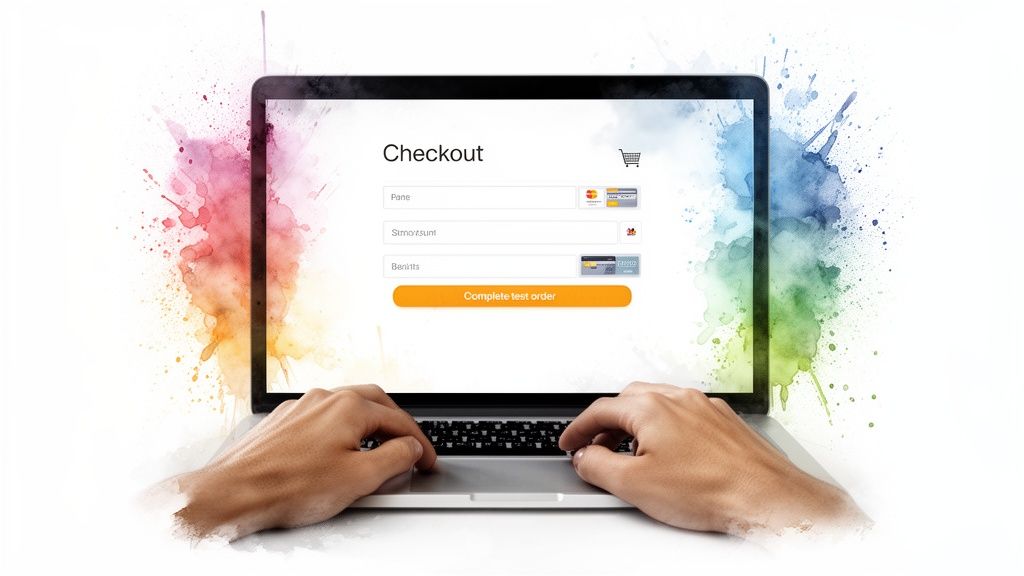
That "complete order" button is the finish line, but your job is to make sure the race to get there is smooth. A successful test run confirms your payment provider, shipping rules, and backend settings are all talking to each other perfectly.
Enabling Shopify Payments Test Mode
If you want the most realistic simulation possible, Shopify Payments Test Mode is your go-to. It lets you mimic both successful and failed credit card transactions using special test numbers, all without a single real dollar changing hands.
Getting it running is simple. Just head to your Shopify admin:
Navigate to Settings > Payments.
Find the Shopify Payments section and click Manage.
Scroll all the way down and check the box that says Enable test mode.
Don't forget to hit Save.
That's it. Your store is now in test mode. You can go to your live storefront, add products to your cart like a regular shopper, and head to checkout. When it’s time to pay, just use one of Shopify's official test card numbers to complete the purchase.
Using the Bogus Gateway for Quick Checks
Don't use Shopify Payments? Or just need to run a super-fast check to make sure the order flow itself is working? The Bogus Gateway is perfect for this. It’s a dummy payment provider that simply approves every transaction you throw at it.
Here’s the quick setup:
First, you'll need to deactivate your live payment provider. Go to Settings > Payments, click Manage on your provider, and then Deactivate.
Back on the Payments screen, click Add payment methods.
Search for and select (for testing) Bogus Gateway.
Click Activate to get it running.
Now, you can place an order on your storefront. At checkout, you won't need a real credit card. Just pop a 1 into the card number field, use any name, a future expiry date, and any 3-digit CVV.
After any test order, your next stop should always be the Orders panel in your admin. Does the order look right? Check the customer info, the products, and—most importantly—the tax and shipping calculations. This backend check is where you spot the problems.
Make Sure Your AOV-Boosting Rewards Actually Work
Running a Shopify test order is absolutely critical when you're using tools designed to increase your cart value, like Monster Cart's in-cart rewards. It’s no secret that a slick, tested user experience is what separates the top-performing stores from the rest.
While the average online store converts somewhere between 1.4-1.8%, the top 10% of stores hit conversion rates over 4.7%. Rigorous testing is how they get there. You can dig into these Shopify store traffic benchmarks to see how you stack up.
For Monster Cart users, a test order is your chance to confirm that your rewards—like a free shipping progress bar or a "Free Gift at $100" offer—are triggering exactly as they should. This ensures you're giving customers a frictionless path to a bigger cart, helping you grow lifetime value without constantly leaning on discounts.
Advanced Testing Scenarios to Maximize AOV
Okay, so you’ve got the basics of a Shopify test order down. That’s great for making sure the lights are on. But if you want to grow, you need to test the features that actually drive up your Average Order Value (AOV).
This is where you move beyond just seeing if checkout works and start confirming that your most valuable AOV-boosting strategies—like upsells, cross-sells, and tiered rewards—are firing flawlessly. Basic tests ensure your store functions; advanced tests ensure your store grows by improving the customer experience and increasing lifetime value.
Validating Tiered Rewards and In-Cart Upsells
This is probably the most critical test for any store serious about increasing AOV. Tiered rewards like free gifts are powerful motivators, but only if they work perfectly. A customer needs to see that "Free Gift at $100" appear the instant they hit the threshold. Any glitch, and you've lost the sale.
This is your chance to put an app like Monster Cart through its paces. Your goal is to mimic a real shopper's journey to make sure your reward logic is rock-solid.
Test your free gift tiers: Add items to your cart one by one. Does the free gift pop into the cart drawer the exact moment the subtotal crosses your set amount (e.g., $75)?
Validate free shipping bars: Keep an eye on the progress bar in the cart. Does it update in real time as you add more products? Critically, does the shipping cost vanish as soon as the goal is met?
Check one-click add-ons: Test your in-cart upsells for things like shipping protection or product warranties. Do they add to the cart with a single click without causing weird page reloads or glitches?
Running a Shopify test order here confirms these AOV-boosting mechanics are ready for real traffic. For example, by testing a slide-cart upsell, you're validating a flow that can seriously lift your store's performance. Top brands often see higher checkout completion rates because they’ve ironed out these exact flows before going live. To see just how important a smooth journey is, you can learn more about Shopify benchmarks and performance statistics that back this up.
Testing "Frequently Bought Together" Recommendations
Good product recommendations are a goldmine for increasing order value. Bad ones, however, can slow down your site or, even worse, show customers things they'd never buy.
Use a test order to make sure your "Frequently Bought Together" sections are working as expected. If you sell coffee makers, a test order is the perfect way to confirm that your recommendations for coffee filters and premium beans are showing up correctly on the product page. For more ideas, you can explore our guide on how to effectively use frequently bought together recommendations to drive sales.
Simulating the Full Post-Purchase Flow
Your job isn't over once the test order goes through. The post-purchase experience is where you build the trust that leads to repeat business and higher lifetime value. This is everything that happens after a customer clicks "buy."
Here’s a quick checklist of what to verify:
Order Confirmation: Did the order confirmation email actually land in your inbox? Check it carefully. Is all the information correct—products, pricing, and the shipping address?
Refund and Cancellation: Head into your Shopify admin and process a full refund for your test order. Did it go through smoothly? As the "customer," did you get a notification that the refund was processed?
Inventory Restock: This one is crucial. When you cancel or refund that test order, check your product inventory. Did the stock levels for the test items automatically update? A failure here can lead to major stock-level headaches down the road.
Mastering these advanced Shopify test orders is what separates the average stores from the top performers. It's about building an unbreakable checkout that not only works but actively encourages every customer to increase their cart's value. This attention to detail builds confidence—for both you and your shoppers—and lays the groundwork for sustainable growth.
Post-Test Cleanup and Common Troubleshooting
Running a Shopify test order is only half the battle. What you do afterward is just as critical. A successful test can quickly pollute your data if you don't clean up properly, leaving you with skewed sales analytics, messy inventory counts, and a completely false picture of your store's performance.
Think of it as the final, non-negotiable step in your quality assurance process. A clean takedown ensures your store is pristine and ready for real customers. This isn't just about hitting "delete"—it's about resetting every moving part back to its exact pre-test state.
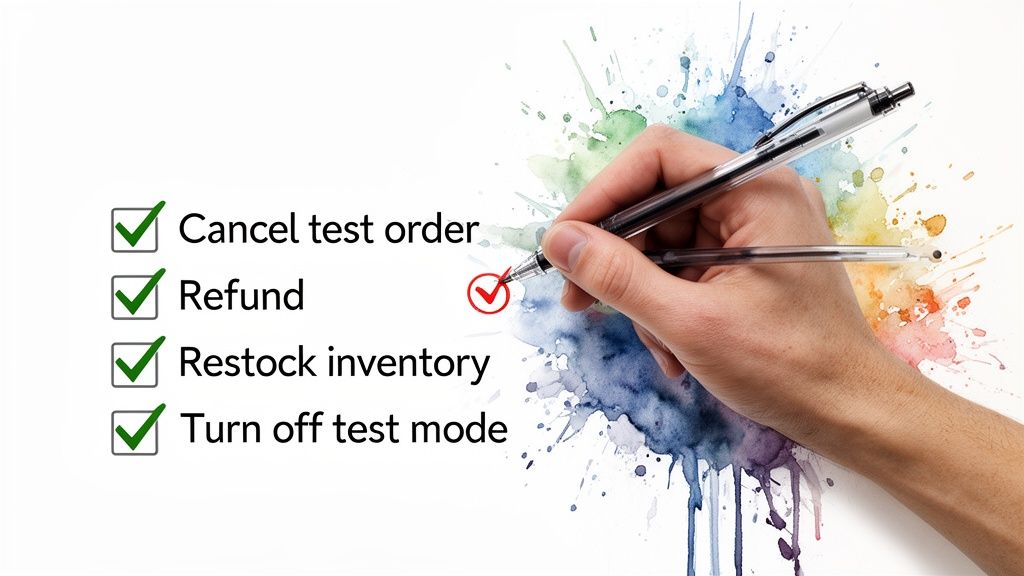
Your Post-Test Cleanup Checklist
Once you’ve confirmed everything is working as it should, it’s time to tidy up. You'll want to follow these steps for every single test order to keep your reporting and inventory airtight.
Cancel and Refund the Order: Head to the order in your Shopify admin, click "More actions," and hit "Cancel order." The crucial part here is to make sure you check the boxes to refund the payment and restock the inventory. This is the single most important step for keeping your sales data accurate.
Verify Inventory Restock: Don't just trust the system. After canceling, go directly to the product pages for the items in your test order. Manually confirm that the stock counts have returned to their original numbers. A glitch here could easily lead to overselling.
Deactivate Test Mode: This is the one people always forget. If you used either Shopify Payments Test Mode or the Bogus Gateway, you have to turn it off. Forgetting this step means you cannot process real payments, and your store will effectively be closed for business.
Troubleshooting Common Test Order Snags
Even the most careful setup can hit a few bumps. Here are some of the most frequent hiccups merchants run into during testing and how to fix them fast.
Shipping Rates Not Appearing A classic. The first thing to check is that the test shipping address you entered actually falls within one of your configured shipping zones. Also, make sure the items in your cart meet the specific weight or price conditions required for your shipping rates to trigger.
Incorrect Tax Calculations If your taxes look off, dive into your settings at Settings > Taxes and duties. Double-check that you have the correct regions set up. It's also common for a specific product to be accidentally marked as non-taxable, so verify that as well.
By getting both the test and the cleanup down to a science, you build a reliable system for launching new features and offers. This is what gives you the confidence to roll out AOV-boosting strategies, like the in-cart rewards in Monster Cart, knowing they'll perform flawlessly. The real goal isn't just to find bugs—it's to create a process that lets you focus on growing customer lifetime value, not putting out technical fires.
Your Shopify Test Order Questions, Answered
Even with the best guides, you're bound to run into a few tricky spots when you start running test orders. It's completely normal. I've pulled together the most common questions we hear from merchants to help you sidestep any snags and get back to building.
Think of this as your quick-reference cheat sheet for testing like a pro.
Do Test Orders Mess Up My Sales Reports?
Yes, they absolutely do—unless you clean them up. By default, a test order is logged in your analytics just like a real one, which can seriously skew your sales data and give you a false sense of performance.
That’s why post-test cleanup is so critical. Once you've confirmed everything works, you need to go back, cancel the order, and issue a refund. This removes the revenue from your reports and keeps your data clean and accurate. Even orders from Shopify Payments test mode should be canceled as a best practice.
Can I Test Subscription Orders With These Methods?
You can test the initial checkout for a subscription, but it’s only half the battle. While you can use the Bogus Gateway or Shopify Payments test mode to place the first order, that doesn't confirm the recurring billing is set up correctly.
After checkout, you must log into your subscription app’s dashboard—whether it's Recharge, Bold Subscriptions, or another provider—and verify that the recurring customer profile was created successfully. This is essential for building a predictable revenue stream and maximizing customer lifetime value.
Why Aren't My Shipping Rates Showing Up?
This is easily one of the most common hangups during testing. If your shipping rates aren't appearing at checkout, it almost always comes down to one of two things.
First, double-check the test address you're using. Is it actually located within a shipping zone you've configured in your 'Shipping and delivery' settings? A simple typo can put the address outside your service area.
Second, look at the products in your cart. Do they meet the specific weight-based or price-based rules you’ve set? If a rate is meant to appear only for orders over $50 or under 5 lbs, your test cart has to match those conditions perfectly.
A Quick Tip: This check is non-negotiable when testing rewards like a free shipping threshold. A flawless test run confirms your incentives are working exactly as planned, encouraging customers to add that one extra item to their cart and boosting your AOV. A great customer experience here helps foster loyalty and increases lifetime value.
Will A Test Order Trigger My Automated Emails?
It sure will—and that's a good thing! Because a test order perfectly mimics a real transaction, it will trigger all of your standard automations, like order confirmation and shipping notification emails.
This isn't a bug; it's a feature. It gives you the perfect chance to see your automated customer communications exactly as a paying customer would. You can proofread the copy, check for broken links, and make sure everything looks great before it ever goes out to a real buyer. Just remember to use your own email address for the test order.
Ready to move beyond basic tests and turn your cart into a revenue engine? Monster Cart helps you build and validate powerful in-cart rewards that boost AOV without constant discounts. Offer free gifts, unlockable tiers, and free shipping thresholds that create an engaging path to a higher-value checkout.
Discover why over 7,000 Shopify brands trust Monster Cart to increase average order value and customer lifetime value.
Join 7000+ brands using our apps