Turn Lost Sales into Loyal Customers with Back In Stock Alerts
Mar 8, 2026
|
Published
A back in stock notification isn't just a simple alert. It's a direct line to one of your most valuable customers—someone who has already decided they want your product and has patiently waited for it. This moment is packed with purchase intent, and your job is to turn it into an opportunity that goes way beyond a single sale and nurtures long-term customer lifetime value.
The Hidden Revenue in Your Sold-Out Products
When a product page flashes 'Sold Out,' most merchants just see a lost sale. A dead end. But experienced store owners see something else entirely: a powerful signal of customer intent.
A shopper who takes the time to sign up for a back in stock alert is handing you a golden lead. They’re telling you exactly what they want to buy. This changes a stockout from a frustrating problem into a powerful list-building opportunity. You're not just losing sales; you're building a highly qualified audience ready to convert the moment that inventory lands.
Shifting from Discounts to Value
So, what's the first thing most brands do when an item is restocked? They send out an email with a 10% discount to apologize for the wait. This is a huge mistake. It cheapens your product and eats into your margins, especially when that customer was already willing to pay full price.
A motivated customer returning for a specific item doesn't need a discount; they need a seamless path to purchase and a reason to feel rewarded. Your goal should be to increase their lifetime value, not just close one discounted sale.
Instead of cutting prices, your focus should be on boosting the order's total value. This is where a smart in-cart experience becomes your secret weapon. By encouraging them to add more to their cart to unlock a reward, you achieve two critical things:
You increase AOV: The customer spends more than they originally planned, making the sale far more profitable.
You enhance the experience: They get a bonus—like a free gift or express shipping—that makes them feel valued and excited to shop with you again, boosting customer lifetime value.
For example, when that shopper finally adds their long-awaited item to the cart, a slide cart powered by a tool like Monster Cart can show them they're just $10 away from unlocking a free gift. This little bit of gamification nudges them to browse for another item, turning a single-product purchase into a bigger, more valuable transaction. You can see how this strategy fits into a broader vision through smart planning and merchandising.
By reframing the "back in stock" moment this way, you turn all that pent-up demand into significantly higher revenue and create a loyal customer base that can't wait for your next restock.
Building Your Back In Stock Notification System
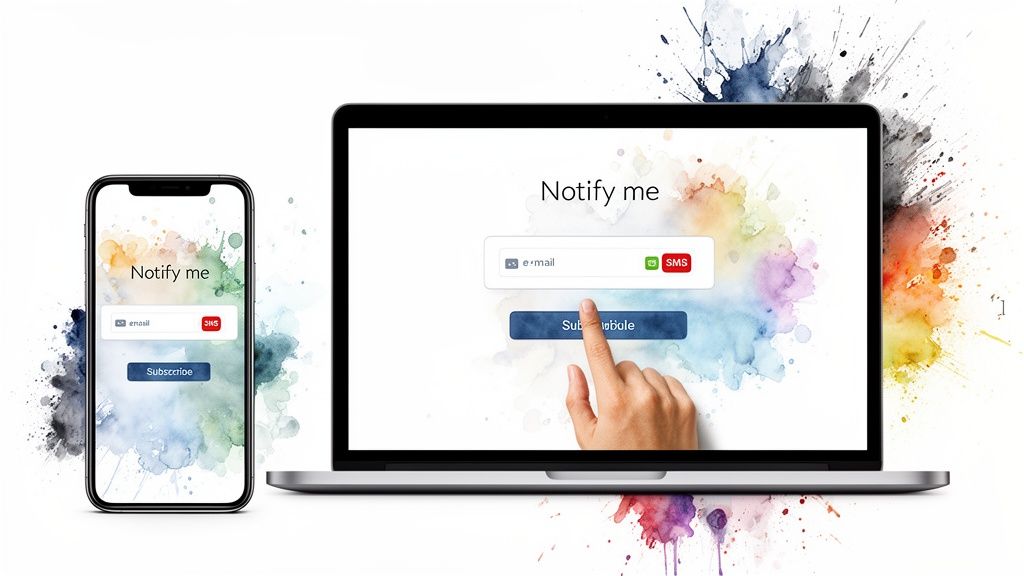
Okay, now that you see the goldmine hiding in your "sold out" pages, it's time to build the system that actually captures that demand. A solid back in stock notification setup is your first move, turning those disappointed visitors into a red-hot list of future customers.
This isn’t about just adding a button. It’s about creating a dead-simple experience that grabs that sales lead the moment they show interest.
The heart of it all is the sign-up form on your product page. When a product variant is gone, the "Add to Cart" button should automatically flip to a clear "Notify Me When Available" call-to-action. The key is to keep it simple—just ask for an email or phone number. Every extra field you add is another reason for someone to give up and leave.
You'll need an app to power this since Shopify doesn't offer a built-in solution. The Shopify App Store is full of options, but a good one will seamlessly handle displaying the form, collecting the contact info, and firing off alerts the second you restock your inventory.
Choosing Your Back In Stock Notification Tool
Picking the right app is a make-or-break decision. It's the difference between simply recovering a lost sale and turning that restock alert into a much bigger, more profitable order. Your choice really comes down to your goals. Are you just trying to send an alert, or are you trying to boost your average order value (AOV) and customer lifetime value?
The best systems don't just send an alert; they kick off a new customer journey. They connect that "back in stock" moment to an in-cart experience designed to maximize the order, not just recover a single sale with a lazy discount.
Think beyond the notification itself. The real goal is to drive a higher AOV without resorting to margin-killing discounts. This is where stacking the right tools together becomes a game-changer.
A basic alert app gets the customer back to your site, sure. But it's a cart-enhancement app like Monster Cart that turns that single-item purchase into a much larger order by offering in-cart rewards after they've added their coveted item.
Choosing Your Back In Stock Notification Tool
To get a clearer picture of your options, it helps to see how different types of back-in-stock apps align with your AOV goals. Your choice will set the foundation for your entire strategy.
Tool Type | Key Feature | Best For | AOV Boosting Potential |
|---|---|---|---|
Basic Alert Apps | Simple email/SMS notifications | Stores focused solely on capturing demand without complex marketing. | Low: Recovers the initial sale but offers no built-in AOV features. |
Marketing Automation Suites | Multi-channel campaigns (email, SMS, push) and segmentation | Larger brands wanting to create complex, segmented follow-up sequences. | Medium: Can suggest other products but lacks real-time in-cart incentives. |
Integrated Cart Systems | Connects alerts to an enhanced cart experience | Merchants wanting to maximize AOV with in-cart rewards and upsells. | High: Uses the restock moment to drive higher spend with tools like Monster Cart. |
By opting for a system built for AOV growth from the start, you're building a foundation for a seriously profitable back in stock workflow. You're not just notifying—you're strategically upselling and creating a more valuable customer the moment they return.
Writing Back In Stock Messages That Actually Convert
A successful back in stock notification does more than just announce a product is available—it needs to spark immediate action. Sending a generic, flat "It's back!" message is a huge missed opportunity. To actually turn those eager subscribers into buyers, your email and SMS alerts have to build real excitement and a little bit of urgency.
It all starts with the subject line. This is your one shot to stand out in a crowded inbox, so don't be vague. Be direct, personal, and add a healthy dose of FOMO.
Bad: "Product is Back in Stock"
Good: "It's Here! Your Favorite [Product Name] Is Finally Back."
Great: "Don't Miss Out Again! The [Product Name] Is Back (For Now)."
That tiny shift in wording completely changes the tone from a simple update into an exclusive, can't-miss opportunity.
Crafting Compelling Body Copy
Once they’ve opened the message, the body copy needs to deliver on that promise—fast. Your goal is to get them to click "buy" without getting distracted. The formula is simple: acknowledge their wait, show them the goods, and give them a crystal-clear path to the checkout.
Your customer is already primed to buy. Don't ruin this high-intent moment by offering a discount. Instead, use this opportunity to increase the total value of their order and improve their lifetime value with your brand.
That's right—focus on adding value, not cutting the price. The shopper has been patient, waiting for this specific item. A 10% coupon just eats into your profits for no reason. The real win is encouraging them to spend a little more to unlock a reward.
For example, instead of a discount code, you can hint at a special reward waiting for them in their cart. Something like, "Plus, see what special offer is waiting for you at checkout." This piques their curiosity and drives them to the product page. Once they add the item, a tool like Monster Cart can reveal an in-cart offer like, "You're only $15 away from a free gift!" This strategy is far more profitable than a blanket discount every time.
The Anatomy of a High-Converting Alert
The most effective messages are simple, visual, and totally action-oriented. They pair persuasive language with a great product shot to remind the customer exactly why they wanted that item in the first place. You can learn more about how to optimize your site for sales by exploring our guide on how to increase your Shopify conversion rate.
Here’s a quick breakdown of the essential ingredients:
Strong, Clear Headline: Think "It's Finally Back!" or "Your Wait Is Over."
High-Quality Product Image: Show them exactly what they’ve been waiting for. A great photo does most of the selling for you.
Brief, Exciting Copy: Acknowledge their patience and build up the excitement for the product itself.
A Powerful Call-to-Action (CTA): Ditch the generic "Buy Now." Use urgent, specific language like "Shop It Now Before It's Gone Again!"
By following this playbook, you can transform your back in stock alerts from forgettable notifications into powerful sales drivers that turn waiting subscribers into profitable, happy customers.
When that back in stock notification finally hits a customer's inbox, you have their complete, undivided attention. They’ve been waiting for this. Their purchase intent is sky-high. So, why would you immediately give away your margin with a generic discount?
That’s old-school thinking, and frankly, it's a missed opportunity. This isn't just about recovering a single sale. It's your chance to turn that high-intent visit into a much larger, more profitable order—and boost long-term customer value. The secret is to stop thinking of your cart as a checkout list and start treating it like a rewards engine.
Stop Slashing Prices, Start Adding Value
Let's be real: a customer who patiently waited for a product to be restocked doesn't need a discount to be convinced. They're already sold. Giving them a coupon is like leaving money on the table. Instead, use this moment of peak excitement to add more value to their cart with rewards like free shipping or a free gift.
The goal is to elevate the transaction from a simple purchase to a rewarding experience. A well-timed free gift or a free shipping offer feels like a genuine perk, building loyalty and increasing lifetime value far more effectively than a forgettable discount code that just trains customers to wait for sales.
This isn't about an aggressive, pop-up-driven upsell. It’s about seamlessly weaving an offer into the shopping flow that feels like a pleasant surprise—a little nudge that helps them get an even better deal.
Turn the Cart into a Game
Imagine your customer gets their alert, clicks through, and adds that long-awaited item to their cart. A sleek slide-out cart appears. But instead of just showing the item, it shows a progress bar inching toward a reward. Suddenly, the game is on.
This is the power of a dynamic, interactive cart. It doesn't just show what’s in the basket; it shows what could be. A tool like Monster Cart is built for this, letting you display tiered rewards right inside the cart drawer.
The journey is simple, seamless, and incredibly effective.
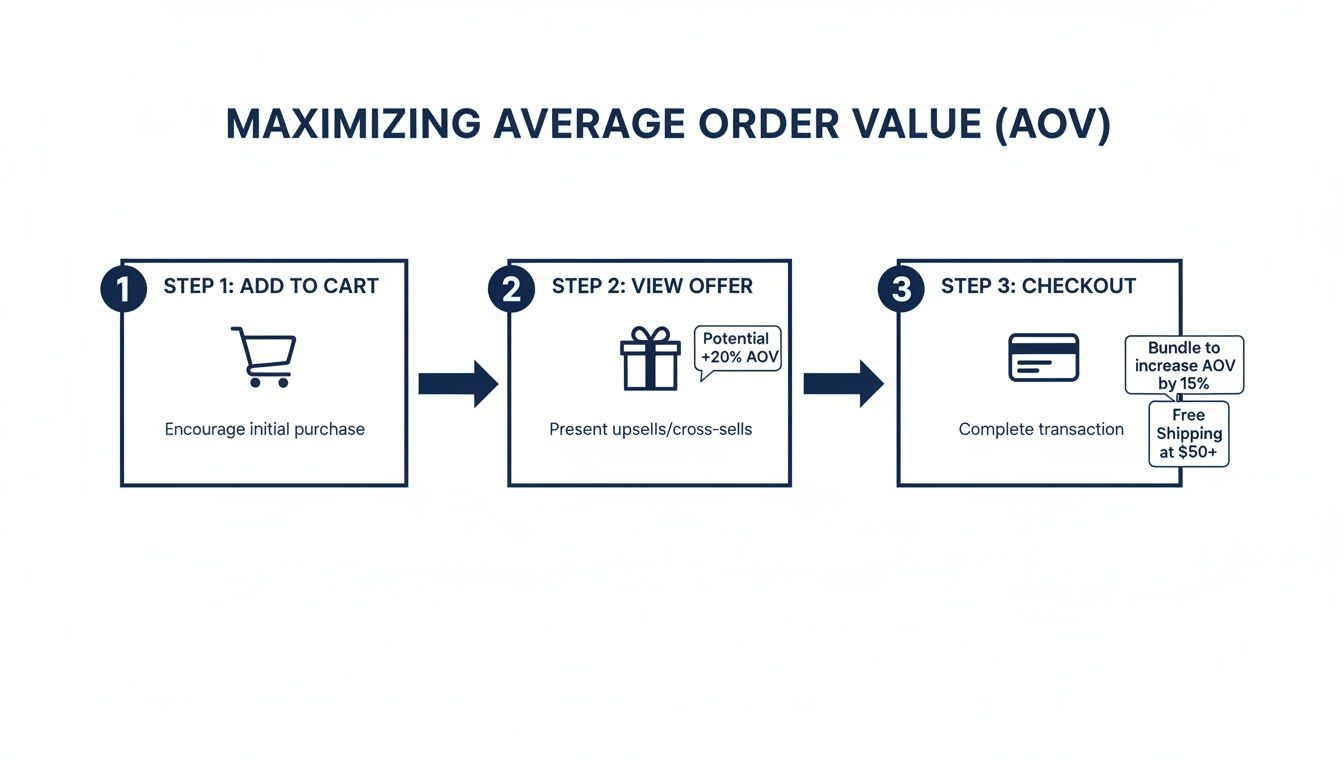
This three-step flow—Add to Cart, View Offer, Checkout—removes friction and uses the customer's own momentum to naturally increase their order value.
Create a Ladder of Rewards
Why stop at one offer? You can take this a step further by stacking multiple rewards, creating a "ladder of value" that encourages customers to keep adding to their cart. As they spend more, they unlock progressively better perks.
Spend $50, Unlock Free Shipping: This is a classic for a reason. It tackles one of the biggest conversion killers head-on.
Spend $75, Get a Free Gift: Offer a trial-size version of a bestseller or a complementary accessory. This is a great way to introduce them to more of your catalog.
Spend $100, Get a Free Gift + 10% Off: Combine perks to create an irresistible top-tier reward they won't want to miss.
There are countless ways to approach this, and once a customer is back on your site, the opportunities are everywhere. For more proven tactics on how to increase average order value, you can explore a host of additional strategies.
The numbers don't lie. Brands that use these kinds of in-cart rewards during a high-traffic restock event often see AOV lifts between 25-35%. It's all about making the experience frictionless and maximizing that impulse to buy.
And for an even bigger AOV boost, you can add one-click cross-sells directly into the slide cart. If they’re buying that restocked moisturizer, why not suggest the matching face wash? We break down how to set up these smart pairings in our guide on frequently bought together strategies. By putting a relevant recommendation right in their line of sight, you make it incredibly easy for them to say "yes" and grow their cart without a second thought.
Measuring the Success of Your Back In Stock Strategy
Getting your back in stock alerts live is a huge win, but how do you know if the strategy is actually making you money? If you’re not tracking the right numbers, you’re just flying blind. To really understand the impact, you need to look past the initial recovered sale and measure the full effect on your bottom line and customer lifetime value.
This isn't just about getting people back to your site. It’s about making that return trip as profitable as possible. The right data will show you exactly what's working and where you have a golden opportunity to do better.
Starting with the Notification Funnel
First things first, you need to get a clear picture of how customers are engaging with your alerts at every step. These are the fundamental metrics that paint the initial picture of your success.
Sign-up Rate: What percentage of visitors hitting a sold-out page actually sign up for the notification? If this number is low, it’s a strong sign that your sign-up form is hard to find, poorly designed, or just not compelling enough.
Open & Click-Through Rates (CTR): Are people even opening your emails, and are they clicking the link when they do? Low open rates usually point to a weak subject line, while a low CTR suggests your message itself isn't creating enough urgency.
Conversion Rate from Notifications: This is the big one. Of the customers who click through from an alert, how many actually buy the product? This metric is a direct measure of your notification's power to close the deal.
Keep an eye out for a classic red flag: high open rates but a dismal conversion rate. This often means the excitement you built with the alert completely fizzles out once the customer lands on your site. When you see this, it's time to zero in on what happens after the click.
From Recovered Sales to Real Profit
The most important metric isn’t just whether you got the sale, but how valuable that sale was. This is where you prove the real ROI of your back in stock strategy and move from simply recovering revenue to actively growing it.
The ultimate measure of success here is the lift in Average Order Value (AOV). Are customers returning from a back in stock notification spending more than your typical shopper? An in-cart rewards engine like Monster Cart makes this crystal clear. Its analytics dashboard directly ties the revenue from your in-cart offers to your restock traffic, showing you exactly how much extra income you generated by offering a free gift or free shipping instead of a pointless discount.
Globally, eCommerce cart abandonment rates reached a record 77.15% in 2026, representing billions in lost revenue. However, a timely 'back in stock' notification combined with smart in-cart rewards can recapture up to 35% of those lost conversions. Brands using cart engines that stack upsells and rewards see AOV increases of up to 30% by turning high-intent restock windows into major sales events. Discover more insights on how to combat cart abandonment on Upcounting.com.
When you start measuring AOV lift, your focus shifts. You're no longer just trying to recoup a lost sale; you’re building a more profitable, sustainable business model. Beyond just tracking the immediate purchase, it’s essential to continuously measure marketing success and analyze metrics like Cost Per Acquisition (CPA) using a solid cost per acquisition calculator to refine your strategy. This holistic view ensures you’re not just winning a customer back for one purchase, but maximizing their lifetime value.
Even with a solid plan, a few questions always pop up when you're dialing in your back in stock strategy. That's a good thing. Getting the little details right is what separates a simple recovered sale from a system that builds real customer loyalty and boosts your bottom line.
I've pulled together the most common questions I hear from Shopify merchants. Let's get them answered.
How Fast Should a Back In Stock Alert Go Out?
The only correct answer is: immediately. The very second your inventory gets updated and the product is live, that notification needs to hit their inbox.
This is where your customer’s purchase intent is at its absolute peak. Any delay—even just a few hours—gives them time to get distracted, find an alternative on Amazon, or simply lose that initial excitement. You have to capture that moment.
Automation is everything here. A reliable app ensures those alerts are triggered the instant your stock count is updated, turning that pent-up demand into a sale before they have a chance to think twice.
Should I Put a Discount in My Back In Stock Email?
I’m going to be blunt: No. Don't do it. Offering a discount to these customers is one of the biggest margin-killers I see. These shoppers are already hot-to-trot for a specific product they have patiently waited for. Giving them 15% off is just throwing money away.
Instead, you need to think bigger. Use their sky-high purchase intent to drive up your Average Order Value (AOV).
The goal is to reward their patience with added value, not a price cut. This builds a far more profitable relationship and increases customer lifetime value, which is what really matters.
A much smarter play is to use in-cart rewards. Once they add that must-have item to their cart, have a tool like Monster Cart present a compelling, gamified offer. A simple message like, "You're just $10 away from a free gift!" or "Add one more item to unlock free shipping!" is an incredibly powerful nudge to get them to boost your AOV and make the whole experience feel like a win.
What If I Only Have a Few Items Back in Stock?
This isn't a problem; it's a massive opportunity. A small restock is the perfect excuse to lean into scarcity and create some real FOMO (fear of missing out). Be upfront about it. Frame the limited quantity as an exclusive, can't-miss event.
Your email and SMS copy should scream urgency. Try phrases like:
"Hurry—only a few are back in stock!"
"Our limited restock just dropped, and it won't last long."
"Shop it now before it's gone again!"
This kind of messaging completely reframes the situation. It’s no longer a logistical hiccup; it’s an exciting, exclusive drop. For an extra boost, you could even give your VIP customers a 24-hour head start before notifying the rest of the list, making your best shoppers feel truly special.
Ready to turn your cart into a revenue engine? With Monster Cart, you can create a fully branded slide-cart with stacked, gamified rewards and one-click upsells. Stop losing sales and start boosting your AOV with a seamless, high-converting cart experience. Explore what's possible at https://monsterapps.shop.
Join 7000+ brands using our apps