Optimize Shopify Speed A Merchant's Guide to Faster Conversions
Feb 28, 2026
|
Published
To really optimize Shopify speed, you need to look at the whole picture. It's a mix of compressing your images, auditing the apps you’ve installed, and cleaning up your theme's code. These aren't just technical chores; they directly impact your conversion rates and how shoppers feel about your store.
A fast site isn't just a technical win. It’s the foundation for a better shopping experience.
Why Every Millisecond Is Money on Your Shopify Store
That tiny loading spinner on your Shopify store isn't just a minor annoyance; it's actively costing you sales. In the world of ecommerce, speed is the bedrock of a premium customer experience and a huge factor in how shoppers perceive your brand's quality and trustworthiness.
A slow site feels cheap and unreliable. A fast site, on the other hand, communicates professionalism and builds confidence, making customers far more comfortable hitting that "buy now" button.
The Real Cost of a Slow Store
The numbers paint a brutally clear picture. Study after study shows that even a one-second delay in page load time can cause conversion rates to plummet by 7% or more. This gets even worse on mobile, where most of your customers are probably browsing anyway. A sluggish mobile experience is a guaranteed way to lose potential buyers before they even see your products.
This delay creates friction at every single step of the journey:
Product discovery: Slow-loading collection pages frustrate shoppers just trying to browse.
Decision-making: Laggy product pages stop customers from quickly viewing images and vital details.
Checkout: A slow cart or checkout process is notorious for causing cart abandonment at the final hurdle.
Your store's speed is a direct reflection of the customer experience you offer. A fast, responsive site tells customers you value their time, which builds the trust needed to turn a browser into a buyer and, eventually, a loyal advocate for your brand.
Understanding Core Web Vitals
As you start to optimize Shopify speed, you’ll hear a lot about Google’s Core Web Vitals. These aren't just geeky jargon; they're designed to measure real-world user experience.
Largest Contentful Paint (LCP): How long does it take for the main event—like your hero image or product photo—to load? A slow LCP makes your site feel empty and broken.
First Input Delay (FID): This tracks how quickly your page responds when someone clicks a button or interacts with it. A long delay makes your site feel laggy and unresponsive.
Cumulative Layout Shift (CLS): Ever tried to click a button, only for an image to load and push it down the page? That's a high CLS, and it's incredibly frustrating for users.
Fixing these issues isn't about appeasing Google. It’s about creating a smooth, predictable, and enjoyable journey for your shoppers. If you really want to master this, digging into the fundamentals of conversion rate optimization for Shopify is a fantastic next step.
Speed as a Foundation for Higher AOV
Here’s where it all connects back to your bottom line. A fast, snappy store creates the perfect environment for advanced strategies that boost your Average Order Value (AOV). Think about it: you can't run exciting in-cart promotions if the cart itself is too slow to load.
Instead of just throwing hefty store-wide discounts at everyone, which eats into your margins, a high-performance site lets you implement smarter rewards that increase lifetime value. This is where a tool like Monster Cart becomes so powerful. Because it's engineered for speed, it can present compelling in-cart offers—like a free gift when a customer’s cart hits a certain threshold or free shipping goals—without adding any lag.
This instant feedback encourages customers to add more to their cart to unlock valuable rewards, naturally increasing your AOV. Ultimately, investing in speed is the first step toward building a store that not only converts better but also maximizes the lifetime value of every single customer.
How to Audit Your Store's Performance
Before you can fix what’s slowing your store down, you have to know what’s actually broken. Trying to optimize Shopify speed without a proper audit is a surefire way to waste hours on technical "fixes" that don't move the needle one bit. This audit is your starting point—a clear baseline to measure every future improvement against.
The goal isn't to become a developer overnight. It's about understanding the story your data is telling you about your customers' experience. With just a couple of key tools, you can go from feeling buried in confusing metrics to having a clear, prioritized action plan.
Start with Shopify’s Web Performance Dashboard
Your first stop should be right inside your own Shopify admin. Head over to Analytics > Reports and open up the Web Performance dashboard. This is Shopify’s built-in tool, and it’s incredibly valuable because it’s based on real user data from people who have actually visited your store.
The dashboard translates complex performance metrics into something you can easily digest, even showing you how your store stacks up against similar brands. Look for trends. Did your speed score suddenly tank right after you installed that new app or switched themes? This dashboard makes it dead simple to connect your actions to their performance impact.
The data is clear: every single second counts, especially in e-commerce.
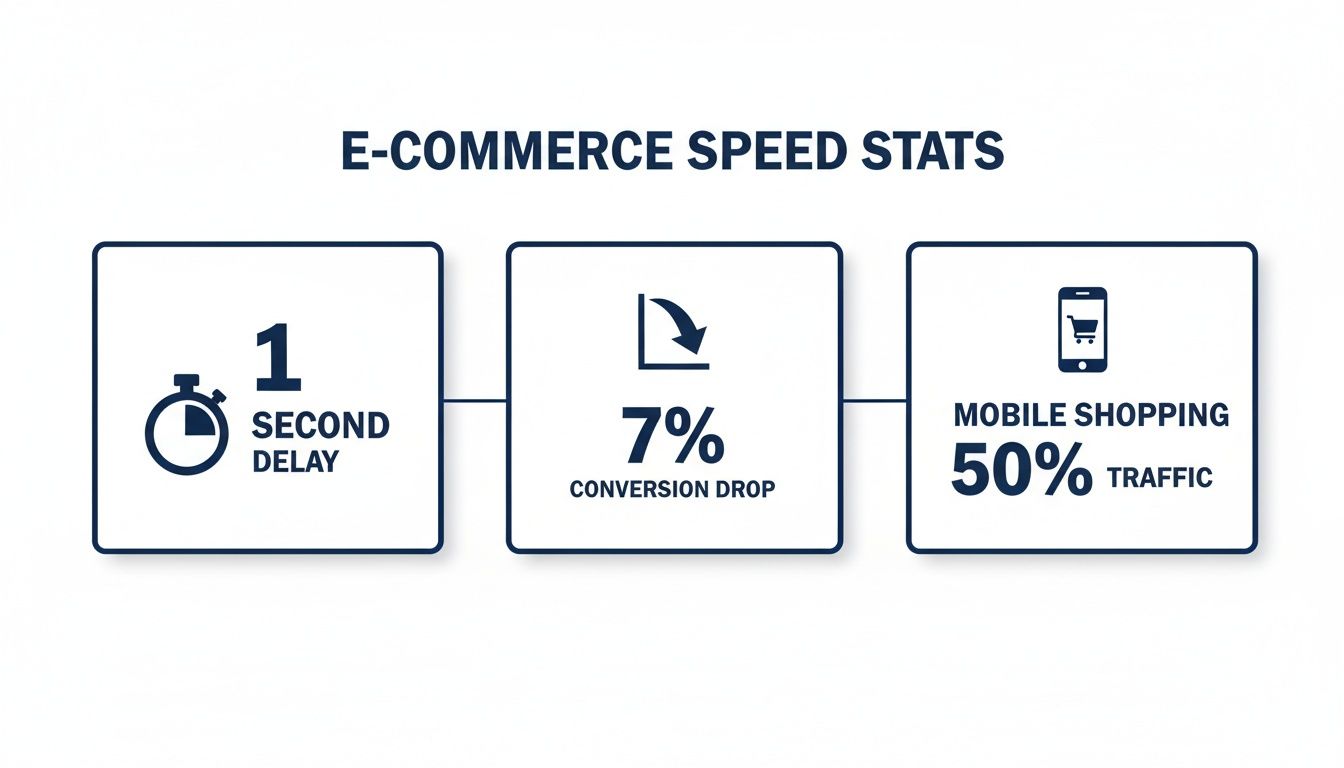
As you can see, tiny delays have a massive effect on your bottom line, and with over 50% of traffic coming from mobile, a fast mobile experience isn't a "nice-to-have"—it's everything.
Dive Deeper with Google PageSpeed Insights
Next, it's time to get a more technical perspective with Google PageSpeed Insights (PSI). This free tool gives you a detailed breakdown of your site's performance on both mobile and desktop. Just plug in your store's URL, and Google will analyze it and spit out a score from 0 to 100.
Quick tip: don't obsess over hitting a perfect 100. A score in the green (90+) is awesome, but honestly, any significant improvement is a win. What’s far more important is the prioritized to-do list Google gives you in the "Opportunities" and "Diagnostics" sections. This is pure gold.
It will flag specific, actionable issues like:
Properly size images: It tells you exactly which product or banner images are tanking your load time.
Reduce unused JavaScript: This often points directly at code from third-party apps that are bogging down your pages.
Eliminate render-blocking resources: It identifies files that are preventing your page from loading as fast as it could.
Think of Google PageSpeed Insights as your diagnostic tool. It pinpoints the exact "illnesses" affecting your store's health, allowing you to focus your efforts where they will have the most impact.
While you're digging into performance, it's worth remembering that speed is only one part of the puzzle. A comprehensive audit should also consider the overall customer journey. This is where professional UX audit services can be invaluable, helping you spot conversion-killing friction points that a speed test alone won't find. A lightning-fast site that's confusing to navigate still won't sell anything.
Making Sense of the Metrics
Understanding what these speed metrics actually mean is the key to taking effective action. The table below breaks down the most important ones, what they measure, and what you should be aiming for.
Shopify Speed Metrics: What to Measure and Why It Matters
Metric (Abbreviation) | What It Measures | Good Score (Target) | Why It Matters for Sales |
|---|---|---|---|
First Contentful Paint (FCP) | The time it takes for the first visual element (like text or an image) to appear on the screen. | Under 1.8 seconds | This is the customer's first impression. A slow FCP makes your site feel broken and increases bounce rates. |
Largest Contentful Paint (LCP) | The time it takes for the largest element (usually a hero image or product photo) to become visible. | Under 2.5 seconds | LCP signals that the most important content is ready. A slow LCP is a primary cause of user frustration and lost sales. |
Cumulative Layout Shift (CLS) | Measures how much the page layout unexpectedly moves around as it loads. | Under 0.1 | A high CLS is annoying. It's when a customer tries to click a button, but it moves at the last second, causing a misclick. |
Interaction to Next Paint (INP) | Measures how quickly the page responds to user interactions like clicks or taps. | Under 200 ms | This reflects how "responsive" your store feels. A slow INP makes your site feel laggy and unresponsive. |
Focus on improving these core metrics, and you’ll be directly improving the real-world experience for every single visitor.
From Data to Actionable Insights
Once you've run these tests, your job is to connect the dots. If both Shopify and Google are screaming about slow image load times, that’s your clear number one priority. If a specific app keeps getting flagged for adding a ton of unused JavaScript, it’s time to seriously evaluate whether its features are worth the performance hit.
This is especially critical when you’re implementing powerful in-cart features. Many merchants worry that adding upsells or cart rewards will slow their site down. But with a lightweight, performance-focused solution like Monster Cart, you can add AOV-boosting features—like free gift tiers, progressive discounts, or shipping progress bars—without dragging down your speed scores. It’s built to turn your cart into a profit center without creating friction, encouraging higher spend and boosting lifetime value.
This audit process gives you the clarity to make smart decisions. Instead of blindly trying to improve everything, you can build a focused strategy that addresses your store's unique weaknesses—paving the way for a faster experience and happier, higher-converting customers.
Winning the Battle with Image and Media Optimization
After you've run a few speed tests, you’ll probably discover what most merchants do: oversized images and unoptimized media are the biggest culprits slowing you down. Think of your store like a book—if every page is filled with giant, high-resolution photos, it becomes heavy and cumbersome to flip through. These huge media files are often the #1 reason for slow load times, but the good news is that this is one of the easiest areas to get a quick, noticeable win.
When you’re trying to optimize Shopify speed, tackling your media files should be your very first priority. It provides the biggest return for the least amount of technical effort.
Choose the Right File Format
Not all image formats are created equal. Just picking the right one for the job is a fundamental step in making your pages lighter and faster. For years, JPEG was king, but modern formats offer much better performance.
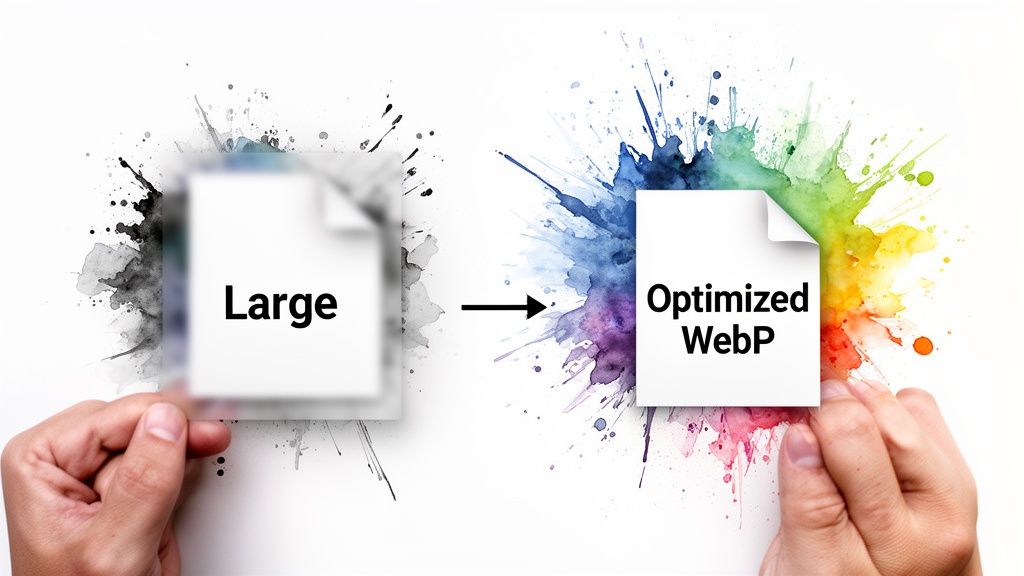
WebP: This is the modern champion for web images. WebP files are typically 25-35% smaller than JPEGs with no visible loss in quality. Best of all, Shopify automatically serves WebP images to compatible browsers, so you don't have to do anything special. Just upload high-quality JPEGs or PNGs, and Shopify handles the rest.
JPEG: Still a reliable workhorse for product photos and other complex images with lots of colors. It offers a great balance between quality and file size, but it's almost always larger than a comparable WebP file.
PNG: You should only reach for this format when you absolutely need a transparent background, like for a logo or a specific design element. PNG files are usually much larger than JPEGs and should be avoided for standard product photography.
Choosing the right format is a simple yet powerful way to reduce the "weight" of your pages, which means faster loading for every single visitor.
Master Image Compression and Sizing
Beyond just the file type, the actual dimensions and compression level of your images play a massive role in performance. Uploading a 4000x4000 pixel image for a thumbnail that only displays at 150x150 pixels is a classic mistake. The browser still has to download that entire oversized file, only to shrink it down—wasting precious bandwidth and time.
Before you upload any image to Shopify, get in the habit of resizing it to the exact dimensions it will be displayed at on your site. If your main product image container is 800 pixels wide, don't upload an image that's 2000 pixels wide. This simple discipline prevents your pages from becoming bloated.
Your goal is to find that perfect sweet spot between visual quality and file size. A beautifully crisp image that takes ten seconds to load is just as bad as a blurry, pixelated one that loads instantly. Always aim for clarity without the performance penalty.
Once sized correctly, run your images through a compression tool. Shopify has some compression built-in, but for maximum control, you can use dedicated apps. You'll find tons of options in the Shopify App Store that offer bulk optimization, automatically resizing and compressing your entire image library and even generating proper alt-text for SEO.
Use a Fast Cart for a Flawless Experience
A faster store lets you do more than just sell products; it allows you to create engaging experiences that boost your Average Order Value (AOV). This is where many merchants get tripped up. They worry that adding upsells or in-cart rewards will undo all their hard speed optimization work.
It's a valid concern, especially with clunky apps that load heavy scripts and slow everything down. However, a lightweight and performance-focused tool changes the game completely. With Monster Cart, you can build powerful, gamified reward systems directly into a fast-loading slide cart without dragging your site down.
Because it's built for speed, Monster Cart can instantly display progress towards a free gift, a shipping goal, or a special discount as customers shop. This strategy encourages them to add more to their cart, boosting AOV and lifetime value. Instead of just leaning on hefty, margin-killing discounts, you're offering valuable rewards that feel like a win for the customer—all within a lightning-fast interface.
Conducting an App Audit to Cut Hidden Bloat
Every app you install on your Shopify store adds code. And while many apps bring fantastic features, each one also contributes to your site's "weight," slowly poisoning your performance. Think of it like packing for a trip—each item seems small on its own, but together, they can make your suitcase impossible to lift.
If you’re serious about how to optimize Shopify speed, you have to get ruthless about the code you allow on your site. An app that seemed like a great idea six months ago might now be redundant or barely used, yet it could still be loading scripts on every single page, slowing down the experience for every single visitor.

Identify Your Active Apps and Their Purpose
First things first: you need a clear picture of exactly what you have installed. Head over to the "Apps" section in your Shopify admin and make a simple list of every single one.
For each app, ask yourself three direct questions:
What problem does this app solve? Get specific. "Helps with marketing" is too vague. A better answer is, "It adds a customer review widget to our product pages."
How often do we actually use it? Is this a tool your team uses daily, or was it a set-it-and-forget-it thing from last year?
Is its function critical to our core business goals? Does this app directly help you make more sales or improve the customer experience in a way you can't live without?
This simple exercise almost always uncovers a few "ghost apps" running in the background for no good reason. Every app you can confidently delete is an instant, easy performance win.
Evaluate an App's True Value vs. Its Speed Cost
Now, let's get a bit more analytical. For the apps that made the cut, you need to weigh their benefits against their performance cost. An app's "value" isn't just about the features it promises; it's also about how efficiently it delivers them.
A great way to measure an app's impact is to use a tool like Google PageSpeed Insights. Run a test on your site with the app enabled, then temporarily disable it and run the test again. It's not a perfect science, but this back-of-the-napkin test can give you a strong clue about how much drag a specific app is creating.
If an app is slowing your site by 500 milliseconds but is directly responsible for a significant conversion lift, it might be a keeper. But if it's causing the same slowdown for a minor feature nobody uses, it's time to cut it loose.
The Power of Consolidation
One of the most effective ways to slash app bloat is through consolidation. I've seen countless merchants fall into the trap of using a separate app for every little function: one for upsells, another for free gift offers, a third for a shipping progress bar, and yet another for cart notes. This is a recipe for a slow, clunky checkout experience.
Instead of patching together five different apps that might conflict with each other, look for an all-in-one solution. This is where a performance-first tool like Monster Cart makes a massive difference. It was built specifically to replace multiple separate apps with one streamlined system.
Rather than falling back on hefty discounts that kill your margins, you can use Monster Cart to build a rewards-based journey right inside the cart. Encourage customers to increase their cart value by offering:
A free gift when they spend over $75.
Free shipping once their cart reaches a certain threshold.
Progressive discounts that unlock as they add more items.
These incentives are proven to boost Average Order Value (AOV) and build real customer loyalty far more effectively than a simple 20% off coupon. You can discover more about the best Shopify apps to increase sales and how they fit into your store's ecosystem in our detailed guide.
By consolidating all these features into a single, fast-loading slide cart, you dramatically reduce the amount of code firing on your store. This not only makes your site faster but also creates a more cohesive and engaging shopping experience, turning your cart from a simple checkout step into a powerful engine for growing your business.
You’ve squashed your image files and audited your apps, but you know there’s still more speed to be found. Now we get to the good stuff: advanced tuning. This is where you dig into your theme’s code and scripts to squeeze out every last millisecond, separating a fast store from a truly instant one.
These are the technical tweaks that make sophisticated in-cart experiences feel flawless. When your site is already humming along at peak performance, dynamic features—like the real-time rewards offered by Monster Cart—can do their job without a single hiccup, creating a seamless journey that encourages shoppers to spend more.
Taming Render-Blocking JavaScript and CSS
When a browser loads your store, it has to read through JavaScript (JS) and CSS files. These files dictate everything from your store’s interactive elements to its fonts and colors. But if they aren't loaded correctly, they become "render-blocking"—meaning they stop the rest of your page from appearing until they’re fully processed. It’s a traffic jam for your content.
You've probably seen this warning in PageSpeed Insights: "Eliminate render-blocking resources." This almost always points to JS and CSS files that are forcing the browser to wait before it can show your main content.
A common fix is to defer non-critical JavaScript. Deferring simply tells the browser to download the script in the background and only run it after the important stuff—like your hero banner, product title, and "Add to Cart" button—has finished loading. This way, less urgent scripts for a chat widget or review app don't hold up the entire show.
Streamlining Your Theme’s Liquid Code
Behind every Shopify theme is a templating language called Liquid. It’s the engine that pulls all your product data, prices, and images onto the page. While it's incredibly powerful, inefficient Liquid code can add precious milliseconds of server processing time to every single page load.
One of the most frequent offenders is a poorly written loop. Imagine your theme has to loop through every single product in your entire catalog just to find a few related items for one product page. If you have thousands of products, that can slow things down to a crawl.
Think of your theme's code as a set of instructions for a factory worker. Clear, direct steps get the job done quickly. A confusing, convoluted manual leads to delays and mistakes. Optimizing your Liquid code is about making those instructions as efficient as possible.
Look for areas where your theme might be making unnecessary calculations or looping through huge collections of data. This is where you might need to bring in a Shopify expert if you’re not comfortable editing theme code yourself. A good developer can spot these bottlenecks and rewrite the code for much better performance.
Making the Call: DIY vs. Hiring a Pro
Many of these optimizations, like deferring scripts or cleaning up Liquid loops, require a bit of technical know-how. So, how do you decide when to roll up your sleeves versus calling in a developer?
DIY Fixes: If you're using an optimization app that gives you simple checkboxes for "lazy loading" or "deferring scripts," go ahead and enable them. Test the results. Many apps offer these controls without you ever having to touch a line of code.
When to Hire a Pro: If PageSpeed Insights is flagging specific files in your theme's code, or if you have a strong suspicion that inefficient Liquid is the problem, it’s almost always better to hire a Shopify developer. A small investment here can save you hours of frustration and, more importantly, prevent you from accidentally breaking your site.
Speed as the Engine for Smarter Growth
Ultimately, all this fine-tuning comes down to one thing: creating a frictionless customer experience that drives revenue. A fast, well-oiled machine of a website gives you the freedom to roll out powerful marketing strategies without worrying about performance.
This is especially true when it comes to boosting your Average Order Value (AOV). Instead of just throwing hefty discounts around and crushing your margins, a fast site lets you build a rewarding shopping journey from the ground up. With a highly optimized tool like Monster Cart, you can use that speed to present compelling in-cart rewards—like a free gift or free shipping—that feel instant and gratifying.
This gamified experience encourages customers to add more to their cart, boosting both AOV and lifetime value. These advanced tuning efforts aren’t just about getting a better speed score; they're about building a stronger, more profitable business.
Turning Your Store's Speed Into More Sales
All that work you put into optimizing your Shopify speed—compressing images, auditing apps, and trimming down your theme—wasn’t just to chase a high score on a testing tool. It was about building a frictionless path to a higher average order value (AOV) and creating a customer experience that actually grows your revenue.
A fast site is the foundation for powerful marketing strategies that don't drag down usability. With that speedy foundation firmly in place, you can finally move beyond margin-killing discounts and build a smarter, more profitable rewards system. This is where your performance efforts translate directly into sales.
From Speed to Strategic Rewards
A lightning-fast, responsive store lets you delight customers instead of just discounting products. Instead of training shoppers to wait for the next big sale, you can build value and encourage loyalty with targeted, in-cart rewards. This strategy shifts the focus from a one-time transaction to a much healthier lifetime value (LTV).
Think about gamifying the shopping experience right inside the cart. As customers shop, they can see themselves getting closer to unlocking rewards in real time, which encourages them to add just one more item to reach the next tier.
This could include rewards like:
A free gift with a purchase over a certain amount.
Free shipping once their cart total hits a specific goal.
Progressive discounts that get better as they spend more (e.g., "Save 10% at $100, save 15% at $150").
This approach makes customers feel like they're earning something special, a far more powerful motivator than a generic coupon code. A fast site is what makes this experience feel instant and seamless.
Leveraging an Optimized Cart Experience
The key to making this strategy work is an instant-loading cart experience. A clunky, slow-to-update cart will kill the excitement and cause immediate frustration. While the average Shopify store loads in 3.2 seconds, top-performing brands are aiming for under 2 seconds. For every extra second of load time, conversions can plummet by 7-10%.
In fact, some retailers who cut their page load times saw conversions triple. With mobile traffic dominating—where conversion rates are already lower—speed is non-negotiable.
This is exactly where a purpose-built tool like Monster Cart shines. It takes advantage of your store's high performance by replacing the standard cart with a fast, customizable slide cart. This becomes the new home for your rewards engine. As shoppers add items, the cart instantly updates to show them how close they are to their next reward, turning the checkout process into an engaging game.
Your optimized site speed becomes the engine that powers a more profitable customer journey. You're not just selling products; you're creating a rewarding experience that encourages customers to spend more and come back again.
Because it's built for speed, Monster Cart handles these dynamic updates without adding any lag, ensuring the experience is always smooth. This is crucial for keeping customers engaged and moving them effortlessly toward a higher AOV and greater lifetime value. You can find more strategies on how to increase your Shopify store’s conversion rate in our related guide.
For a comprehensive guide that blends speed enhancements with overall sales strategies, consider diving into resources like The E-commerce Owners Shopify Cheat Sheet: Speed Sales Optimization Tips. Combining technical fixes with smart marketing is the key to sustainable growth. Ultimately, all your hard work to optimize Shopify speed pays off when you can turn that performance into a more engaging, rewarding, and profitable experience for every customer.
Join 7000+ brands using our apps